Category Archives: Firefox Add-ons

Changes On Amazon Related Browser Extensions and Apps

As some of you might know, the browser apps we develop are offered to users for free because we are financially supported by affiliate programs from online merchants.  One of the affiliate programs that used to support us, especially all of our Amazon related browser apps, is Amazon Affiliate Program.

TO be compliant with Amazon Affiliate Program’s Participation Requirement, we are no longer able to use Amazon as the name of our browser apps, and as a result, we are taking down Amazon Extension (for Google Chrome) and Amazon Deal Button (for Firefox) at this time from Google Chrome Web Store and Firefox Addon Marketplace respectively and discontinue our development for these apps for now.  What does this mean to you, our users?  The biggest impact is that you will not find and install these apps from both Chrome and Firefox addon stores.

However, we are open to questions and technical support needs from each user of these products, you may connect with us on Twitter @linked8 or email us at info@linked8.com.

As part of the requirements, Amazon also prohibits us from using “Ama” part in our AmaBay app, we are happy to cooperate and so we are currently in the process of changing name for AmaBay and all its related browser extensions.  Please stay tuned.

Firefox Add-on: Amazon Deal Button version 1.5.20121120 Released

Amazon Deal ButtonThis is a new version release note of Amazon Deal Button. (this version will be available to download soon)

View a complete user manual of this add-on.

Important: The version 1.4.20120210 is compatible up to Firefox 16.* ONLY, if you use Firefox 17.* or higher, please download Amazon Deal Button version 1.5.20121120, which can be found here.

This version is a maintenance version, major change was to make it compatible with Firefox version 17.0 and up.

Firefox Addon: AmabayFox New Version 1.4.20121120 Released

iconThis is a new version release note of AmabayFox(this version is available to download soon)
View a complete user manual of this addon.

This version is a maintenance version, major change was to make it compatible with Firefox version 17.0 and up.  The previous version 1.3.20110630 is compatible up to Firefox 16.*

For future updates, please follow us on Twitter @linked8

Firefox Add-on: Amazon Deal Button version 1.4.20120210 Released

Amazon Deal ButtonThis is a new version release note of Amazon Deal Button. (this version will be available to download soon)
View a complete user manual of this add-on.

Important: The version 1.3.20110420 is compatible up to Firefox 9.* ONLY, if you use Firefox 10.* or higher, please download Amazon Deal Button version 1.4.20120210, which can be found here.

The change made to the latest version of Amazon Deal Button are:

  • Amazon China (amazon.cn) and Spain (amazon.es) sites are added
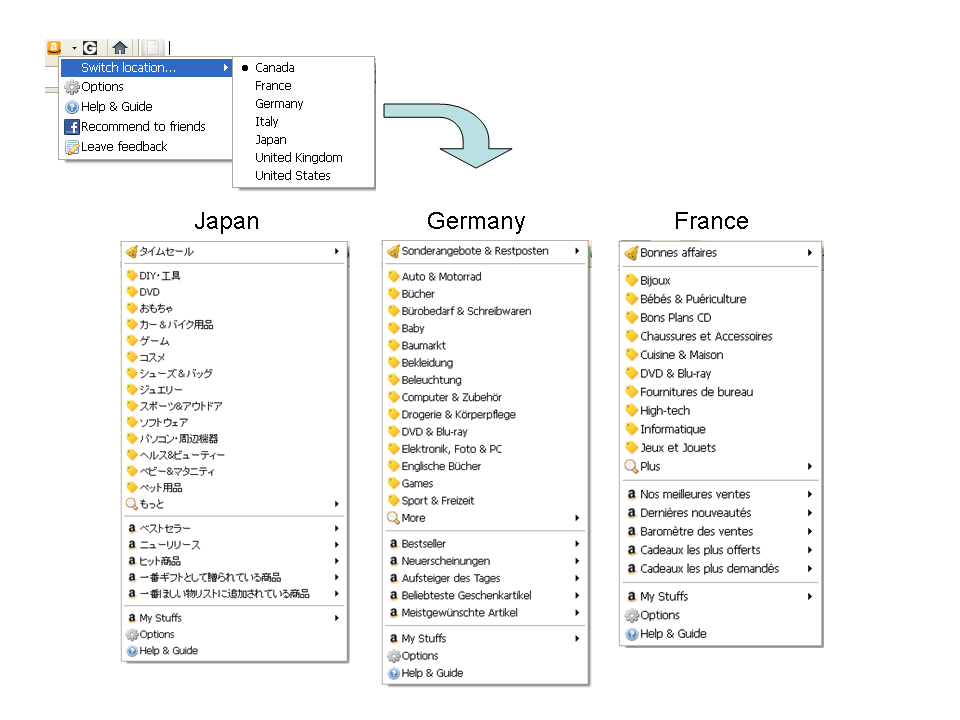
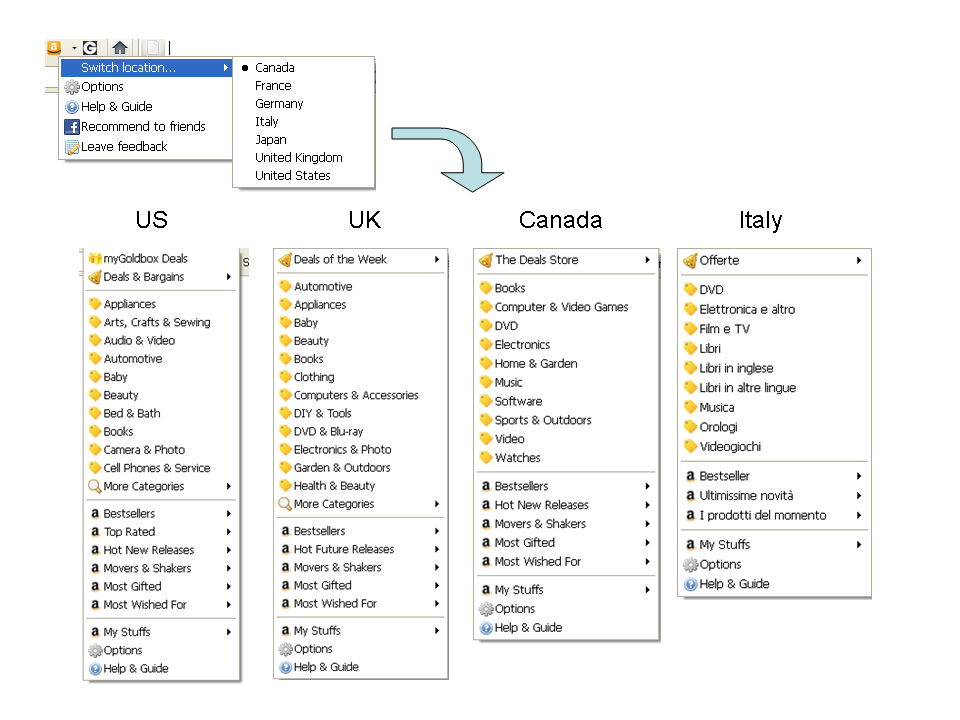
  • Menu layout has been redesigned for all countries to be more straight forward and easier to understand
    • More discount categories are now visible
    • Amazon top ranked items such as Bestsellers, Movers and Gainers sections are now grouped together
    • My account section has been simplified

Please help us improve this tool by providing your feedback.

For upcoming updates, please follow us on twitter @linked8

Hope you enjoy it.

Firefox Addon: AmabayFox New Version 1.3.20110630 Released

iconThis is a new version release note of AmabayFox(this version is available to download soon)
View a complete user manual of this addon.

In this new version of AmabayFox, Firefox Browser Addon, here are the new features:

  • You may now place the AmabayFox button  wherever you like, the locations you can choose from include menu bar, navigation bar or add-on bar.  By default, after install, AmabayFox button will be placed on navigation bar, after that, you may change its location by doing the following:
    • Right click on any Firefox browser bar area, click “Customize”
    • After Customize Toolbar window popup, use your mouse drag and drop the button to the bar you want
    • Close Customize Toolbar window, all set!
  • You may now configure the default locale of Amabay homepage by one of the following ways:
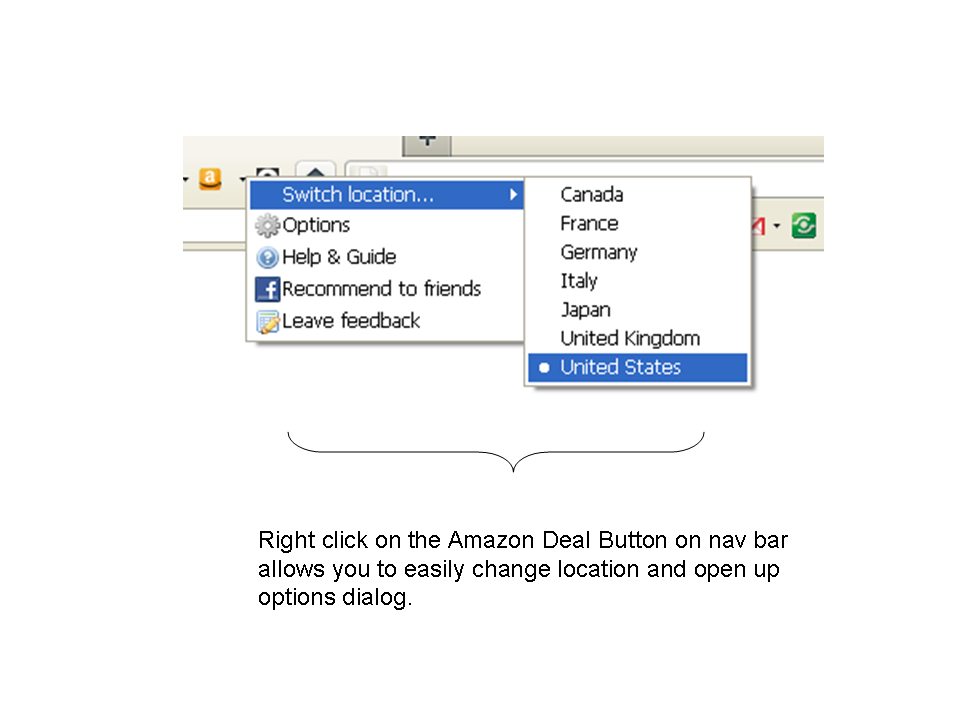
    • Right click on AmabayFox button, choose from “Switch location” menu
    • Right click on AmabayFox button, click “Options”

If you are using this tool and have feature request, please fill out form here.


Firefox Add-on: Amazon Deal Button version 1.3.20110420 Released

Amazon Deal ButtonThis is a new version release note of Amazon Deal Button. (this version will be available to download soon)
View a complete user manual of this add-on.

Important: This version is compatible up to Firefox 9.* ONLY, if you use Firefox 10.* or higher, please download Amazon Deal Button version 1.4.20120210, which can be found here.

The change made to the latest version of Amazon Deal Button are:

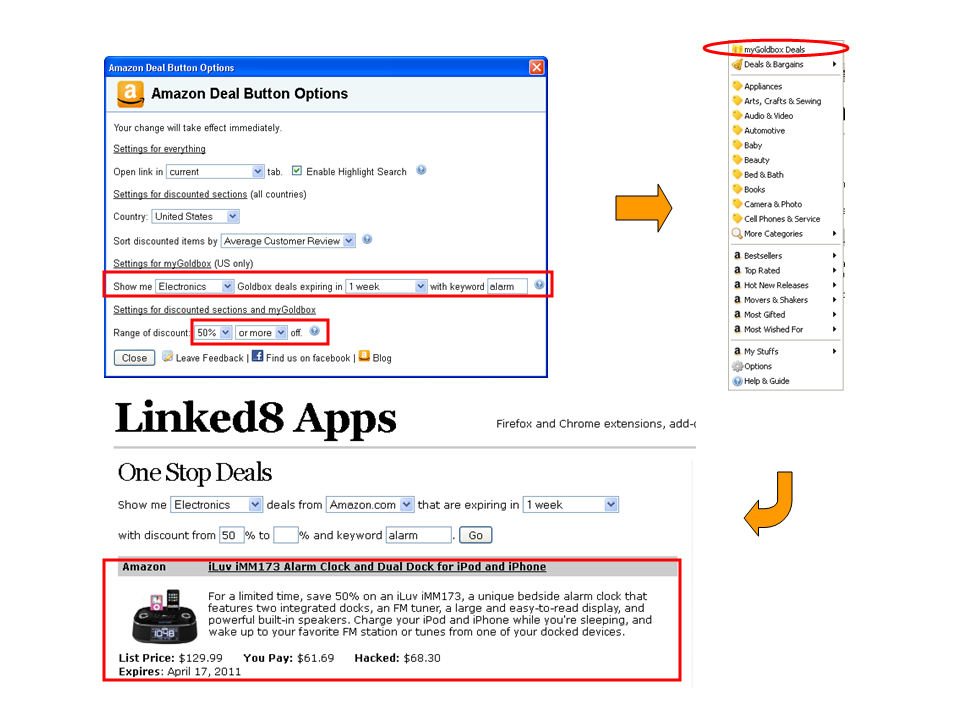
  • myGoldBox (US only), where your can check out personalized Amazon Gold Box deals based on your preference of category, discount range, expire date and keywords.

  • Amazon Japan discount links are now included

  • Amazon Italy deal and discount links are now included
  • Amazon US, UK, France and Germany’s deal and discount links are updated

  • More conveniently switch Amazon International Sites or change other options by right clicking on nav bar button and choose from the popup menu

Firefox Addon: Groupon Button version 1.0.20110331 released

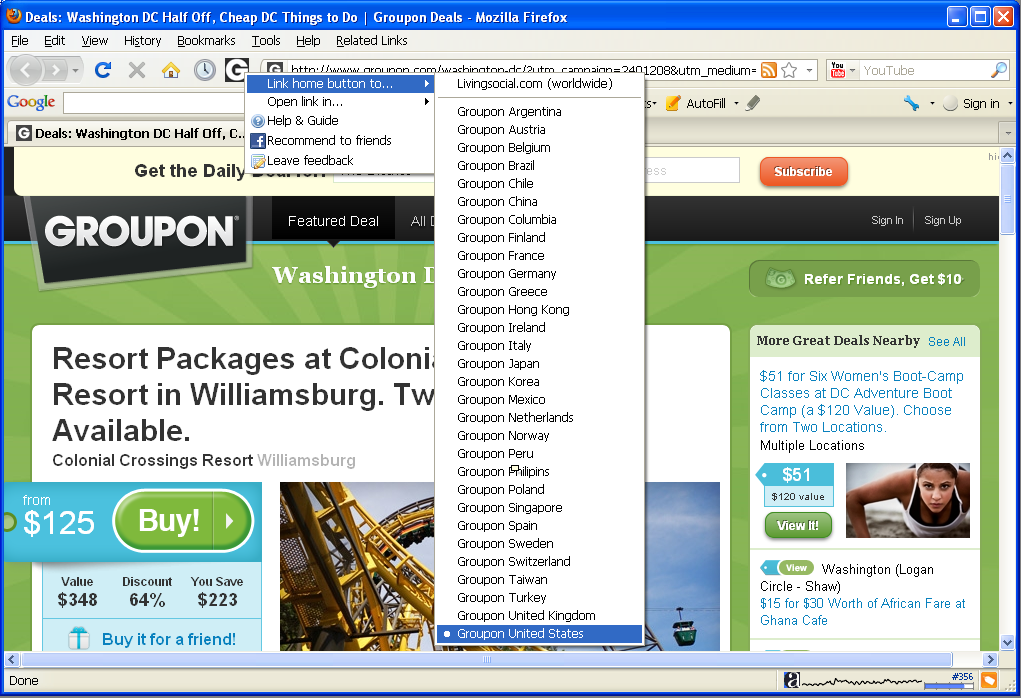
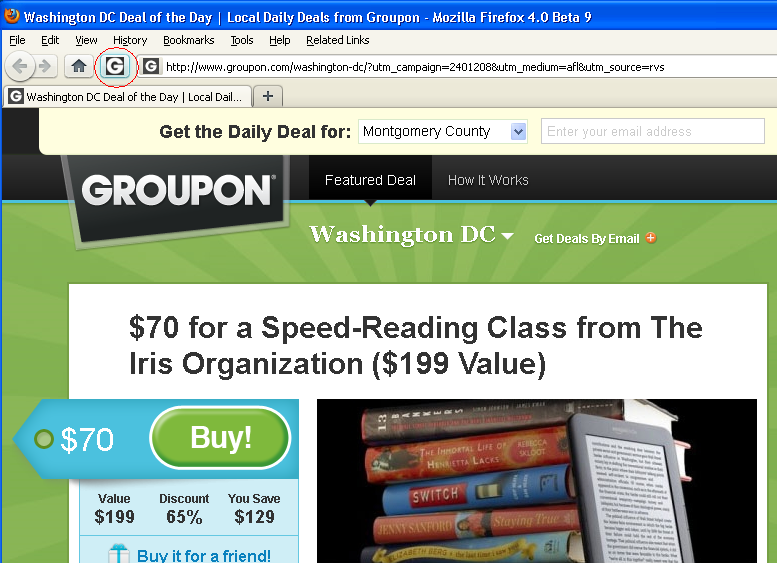
In this version, you may choose to link the button to either LivingSocial or any of Groupon international sites, in addition, youcan now choose to open link in new or current tab.  All of these features are available by right clicking on the button, and choose from popup menu, while it remains unchanged that left clicking on the button leads you to the Groupon (or LivingSocial) site conveniently.

Download Groupon Button from Firefox official addon site.  Check out the full manual of this addon.

Screenshots

Firefox Add-on: Groupon Button

We just released Groupon Button for Firefox, although it’s named after Groupon,  it actually supports both Groupon and LivingSocial, both are leading deal websites selling local business coupons online, serving  over 180 cities worldwide by offering a hand-picked heavily discounted local deal everyday to online shoppers.   This is the 1st Firefox add-on tools that brings online shopper much closer to Groupon and LivingSocial sites than before.

Features

These features are as of version 1.0.20110331 released on March 28, 2011.

Customize your button link to either Groupon or LivingSocial

Choose to link the button to either Groupon or LivingSocial by right clicking on the button and choose from the menu.  The Groupon sites include United States (including Canada cities), United Kingdom, France, Germany, etc.  We are not only the first Firefox add-on for Groupon, but also the add-on that covers complete list of Groupon country sites including China.  For a complete list, please see screen shots below:

Unlike Groupon who use different sites for different countries, LivingSocial covers multiple countries using one site.  Currently, it covers US, Canada, UK, Australia You may choose your button link to LivingSocial.com.

One click check out latest deals

Clicking on Groupon Button on Firefox navigation bar leads you to Groupon or LivingSocial page of your customized city which shows today’s deals of your preferred local area.

Choose to open link in different locations

Right clicking on the button and choose from the “Open link in…” menu will allow you to choose to open links in a foreground new tab, a background new tab, or current tab.

Frequently Asked Questions

Why don’t you allow me to choose city?

Currently, both Groupon (all sites) and LivingSocial allows you to change your city preference on their site, that setting is automatically saved, therefore there is no need for Groupon Button to duplicate that effort.  After you choose a site to link to, you don’t need to bother to choose city using this addon, all you need to do is to make sure you chose the right city on Groupon or LivingSocial site, as both Groupon and LivingSocial site has the ability to remember your setting and will redirect to your previously chosen city page when you return.

Here are the steps of choosing city preference on Groupon/LivingSocial

  • Groupon: open drop down menu on the city name at top of the page, then change city.
  • LivingSocial: click on “more deals” on upper left area, then choose city.